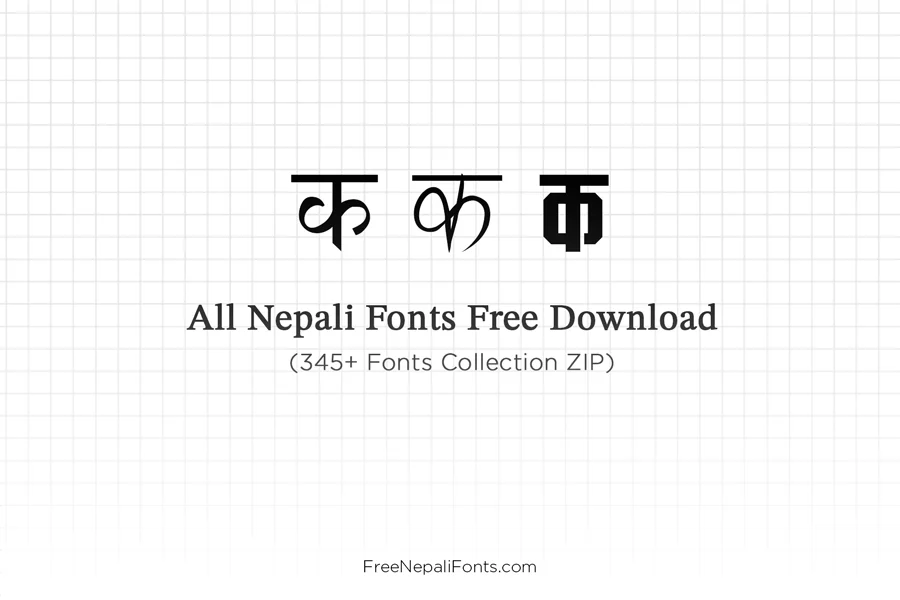
Looking to download free Nepali fonts for your computer, website, or creative design projects? With our complete all Nepali fonts zip free download mega pack, you can download and install over 340+ verified traditional, Unicode, and calligraphy Devanagari typefaces in a single, 10MB ZIP archive. Every font in this collection is 100% free for personal, educational, and commercial use on Windows 11, Windows 10, macOS, Linux, and mobile video editing apps like CapCut and InShot.
Hunting down individual font files one by one wastes hours and exposes your system to ad-heavy portals or corrupted archives. Whether you need classic typing fonts like Preeti and Kantipur for government paperwork and Lok Sewa exams, official Unicode standards like Kalimati and Mukta for web publishing, or stylish calligraphy fonts like Ganesh and Kanchan for wedding invitation cards (विवाह लग्न पत्रिका) and YouTube thumbnails, this collection provides Nepal’s complete digital typography library in one click.
Table of Contents
Top 15 Most Popular Fonts Included in This Mega Pack
To help you preview the typography inside the collection before installing, here is a breakdown of Nepal’s most widely used typefaces included in this bundle:
| Font Name | Classification | Devanagari Sample | Primary Applications |
|---|---|---|---|
| Preeti Font | Traditional ASCII | नेपाली भाषा र मौलिक लिपि | Lok Sewa exams, government ministries, legal courts, rapid typing |
| Kalimati Font | Official Unicode | सबै नेपालीहरूको साझा पहिचान | Government web portals, modern websites, official gazettes, academic research |
| Kantipur Font | Traditional ASCII | प्रकाशन तथा राष्ट्रिय समाचार | Newspaper publishing, magazines, press layout, book formatting |
| Ganesh Font | Calligraphy / Display | श्री गणेशाय नमः शुभ विवाह | Wedding invitation cards (लग्न पत्रिका), festival banners, religious banners |
| Sagarmatha Font | Traditional Serif | सगरमाथाको देश नेपाल हाम्रो | Formal project briefs, legal contracts, notary certifications |
| Mukta Font | Modern Unicode | डिजिटल युगको सरल अक्षर | Google Fonts standard, responsive web UI, mobile app interfaces |
| Ananda Akchyar | Calligraphy / Display | कलात्मक नेपाली क्यालिग्राफी | Book covers, YouTube video thumbnails, movie posters, branding |
| Kanchan Font | Decorative Curvature | शुभकामना तथा सम्मान पत्र | Certificate printing, citation plaques, billboard headlines |
| PCS Nepali | Traditional ASCII | प्रशासनिक तथा कार्यपालिका टाइपिङ | Civil service documentation, district court petitions |
| Himali Font | Traditional Serif | साहित्य, कविता र उपन्यास | Literary anthologies, poetry publications, library archives |
| CV Maya | Traditional Display | नेपाली आधुनिक डिस्प्ले फन्ट | Commercial signage, roadside flex banners, advertising displays |
| Noto Sans Devanagari | Modern Unicode | विश्वव्यापी मानक युनिकोड | Universal cross-browser compatibility on Android, iOS, Windows, and Mac |
| Mangal Font | System Unicode | विन्डोज आधिकारिक युनिकोड | Native Microsoft Office Devanagari font for Word, Excel, and PowerPoint |
| Aparajita Font | Unicode Serif | सफा र स्पष्ट नेपाली अक्षर | Formal academic dissertations and corporate presentations |
| Bipana Font | Artistic Display | सिर्जनात्मक नेपाली कला | Graphic design, cultural event posters, and music video titles |
Technical Specifications of the Nepali Fonts Collection
| Specification Feature | Technical Details |
|---|---|
| Bundle Name | All Nepali Fonts Free Download Mega Collection |
| Total Fonts Count | 340+ Unique Devanagari Fonts |
| Archive Format | Compressed ZIP Archive (.zip) |
| Font File Formats | TrueType Font (.ttf) & OpenType Font (.otf) |
| Download File Size | ~10.2 MB (Instant high-speed download) |
| Supported Encodings | Traditional ASCII (Preeti mapping) & Unicode UTF-8 (U+0900–U+097F) |
| Supported Desktop Operating Systems | Windows 11, Windows 10, Windows 8, Windows 7, macOS (Sonoma, Ventura, Monterey), Linux (Ubuntu, Debian, Fedora, Arch) |
| Supported Mobile Applications | CapCut, InShot, VN Video Editor, Pixellab, KineMaster (via font import) |
| Compatible Desktop Software | Microsoft Office (Word, Excel, PowerPoint), Adobe Photoshop, Illustrator, InDesign, Premiere Pro, After Effects, CorelDRAW, Canva, DaVinci Resolve, Figma |
| Licensing & Usage Rights | 100% Free for Personal, Educational, and Commercial Projects |
Understanding the Three Categories of Nepali Fonts
To ensure your designs and typing projects turn out flawless, the 340+ fonts in this download free Nepali fonts pack are curated into three distinct technical categories:
1. Traditional / Legacy Fonts (Non-Unicode ASCII TTF)
Traditional Nepali fonts—such as Preeti, Kantipur, Sagarmatha, and PCS Nepali—re-map standard English QWERTY keys to Devanagari characters using the Remington typewriter layout. They remain the undisputed standard across Nepal for:
- Lok Sewa Aayog Examinations: Official typing speed tests require classic Preeti typing ergonomics.
- Government & Court Documentation: District courts, land revenue offices (Malpot Karyalaya), and administrative chambers operate on traditional TTF files.
- Printing Presses & DTP: Offset printing presses and publishing houses in Kathmandu, Pokhara, and Chitwan rely on legacy fonts for high-volume newspaper and textbook production.
2. Modern Nepali Unicode Fonts (Web & Mobile Ready)
Unlike traditional fonts, Nepali Unicode fonts—such as Kalimati, Mukta, Mangal, Aparajita, and Noto Sans Devanagari—conform to international UTF-8 standards. When you type in Unicode:
- Never Turns into Gibberish: Your Nepali text displays accurately on Facebook, WhatsApp, websites, emails, and mobile phones, even if the reader does not have the font installed.
- Google Search Engine Friendly (SEO): Google cannot index legacy Preeti text because it sees English letters. Unicode allows search engines to read, index, and rank your Nepali content.
- Universal Typing: Works with both Nepali Unicode Romanized (phonetic) and Nepali Unicode Traditional layouts.
💡 Need to convert existing documents typed in Preeti font into modern web Unicode? Use our instant, free Preeti to Unicode Converter Tool to convert your text in real time with 100% character accuracy.
3. Calligraphy & Decorative Display Fonts
For graphic designers and video creators, standard typography is not enough. This pack includes an extensive suite of artistic and ornamental Nepali typefaces—including Ganesh, Kanchan, Ananda Series, CV Maya, and Bipana. These are engineered specifically for:
- Nepali Wedding Cards (विवाह लग्न पत्रिका): Elegant header typography, mantra verses, and ceremonial titles.
- YouTube Video Thumbnails: Bold, eye-catching Devanagari lettering that drives high click-through rates (CTR).
- Flex Printing & Outdoor Billboards: Thick strokes and prominent contrast for maximum distance legibility.
- Festival Greetings: Social media banners for Dashain, Tihar, Chhath, Teej, and Lhosar.
Nepali Font Categories Comparison: Traditional vs. Unicode vs. Calligraphy
Use this quick comparison table to choose the exact font type for your typing, publication, or graphic design project:
| Feature | Traditional ASCII Fonts | Modern Unicode Fonts | Calligraphy & Display |
|---|---|---|---|
| Popular Font Examples | Preeti, Kantipur, Sagarmatha, PCS | Kalimati, Mukta, Mangal, Noto Sans | Ganesh, Kanchan, Ananda Lipi, CV Maya |
| Typing Keyboard Layout | Remington Typewriter (QWERTY English remapping) | Phonetic Romanized or Traditional Unicode | Remington or Decorative custom key mapping |
| Web & Mobile Compatibility | Requires conversion (shows English letters online) | 100% Native on mobile, web, social media & apps | Best as rasterized graphics or headline headers |
| Google SEO Indexability | No (Google cannot read legacy ASCII characters) | Yes (100% UTF-8 crawlable & indexable) | No (visual presentation focus) |
| Best Use Case | Government offices, court petitions, Lok Sewa exams | Websites, Android/iOS apps, eBooks, online blogs | Wedding invitations, festival banners, YouTube thumbnails |
How to Batch Install All 340+ Nepali Fonts on Windows
You do not need to install font files one by one. Follow this quick 10-second shortcut to install all 340+ fonts at once on Windows 11, Windows 10, or Windows 8:
- Click the download button above to save the
All-Nepali-Fonts-Free-Download.ziparchive to your computer. - Right-click the downloaded
.zipfile and choose Extract All… to unpack the folder into your Downloads directory. - Open the newly extracted folder and press
Ctrl + Aon your keyboard to highlight all font files simultaneously. - Right-click any of the highlighted files and choose Install for all users (or Install).
- Windows will rapidly register every font into your system directory (
C:WindowsFonts). Once finished, all 340+ fonts will immediately appear in the font picker inside MS Word, Photoshop, Premiere Pro, and Canva!
How to Batch Install Nepali Fonts on macOS (MacBook & iMac)
- Download the
.ziparchive and double-click it in Finder to extract the fonts folder. - Launch macOS Font Book (press
Cmd + Space, type Font Book, and hit Enter). - Inside Font Book, click the + (Add Fonts) icon in the top toolbar, or go to File > Add Fonts to Current User.
- Navigate to your extracted folder, press
Cmd + Ato select all files, and click Open. - macOS will validate and install the complete library. Restart your design or office application to access your newly installed Nepali fonts.
Configuring Adobe Photoshop & Premiere Pro for Nepali Typography
If you notice broken matras or disconnected conjunct letters when typing Nepali in Adobe Creative Cloud (Photoshop, Illustrator, InDesign, Premiere Pro), follow these essential settings:
- In Photoshop, navigate to Edit > Preferences > Type… (or Photoshop > Settings > Type… on macOS).
- Under Choose Text Engine Options, select World-Ready Layout (or East Asian / South Asian in older versions).
- Click OK and restart Photoshop.
- In your Paragraph Panel, click the hamburger menu icon (top right) and check World-Ready Composer. Your Nepali Unicode matras, halanta, and conjunct characters will now render with 100% mathematical precision without breaking!
Frequently Asked Questions About Downloading Free Nepali Fonts
Are all 340+ Nepali fonts in this collection 100% free for commercial use?
Yes! Every font in our mega bundle is free to download and use for both personal and commercial design projects—including client websites, published books, YouTube videos, flex banners, and marketing materials—without subscriptions or licensing fees.
Can I install these Nepali fonts on mobile video editing apps like CapCut and InShot?
Yes. While smartphones do not allow system-wide font changes without root, mobile video apps like CapCut, InShot, VN, and Pixellab allow you to import custom fonts directly. Simply transfer the .ttf files to your phone, open your app’s text tool, tap Add Font / Import, and select the Nepali font files.
What is the difference between Preeti and Kalimati font?
Preeti is a traditional legacy font mapping English keystrokes to Devanagari shapes (great for fast offline typing, but turns into gibberish online). Kalimati is an official Unicode font conforming to UTF-8 standards that renders beautifully on websites, mobile browsers, and social media without conversion.
Do these Nepali fonts work offline after downloading?
Yes. An internet connection is only required once to download the 10MB ZIP archive. Once installed on your Windows, Mac, or Linux operating system, all fonts function 100% offline in Microsoft Word, Photoshop, and all desktop applications.
How can I convert legacy Preeti text into web-safe Unicode?
You can easily convert any text typed in Preeti, Kantipur, or Sagarmatha into clean web-ready Unicode using our free online Preeti to Unicode Converter on FreeNepaliFonts.com.